


Step 1: PB SecureSign activated user initiate Transaction Approval via PB enterprise
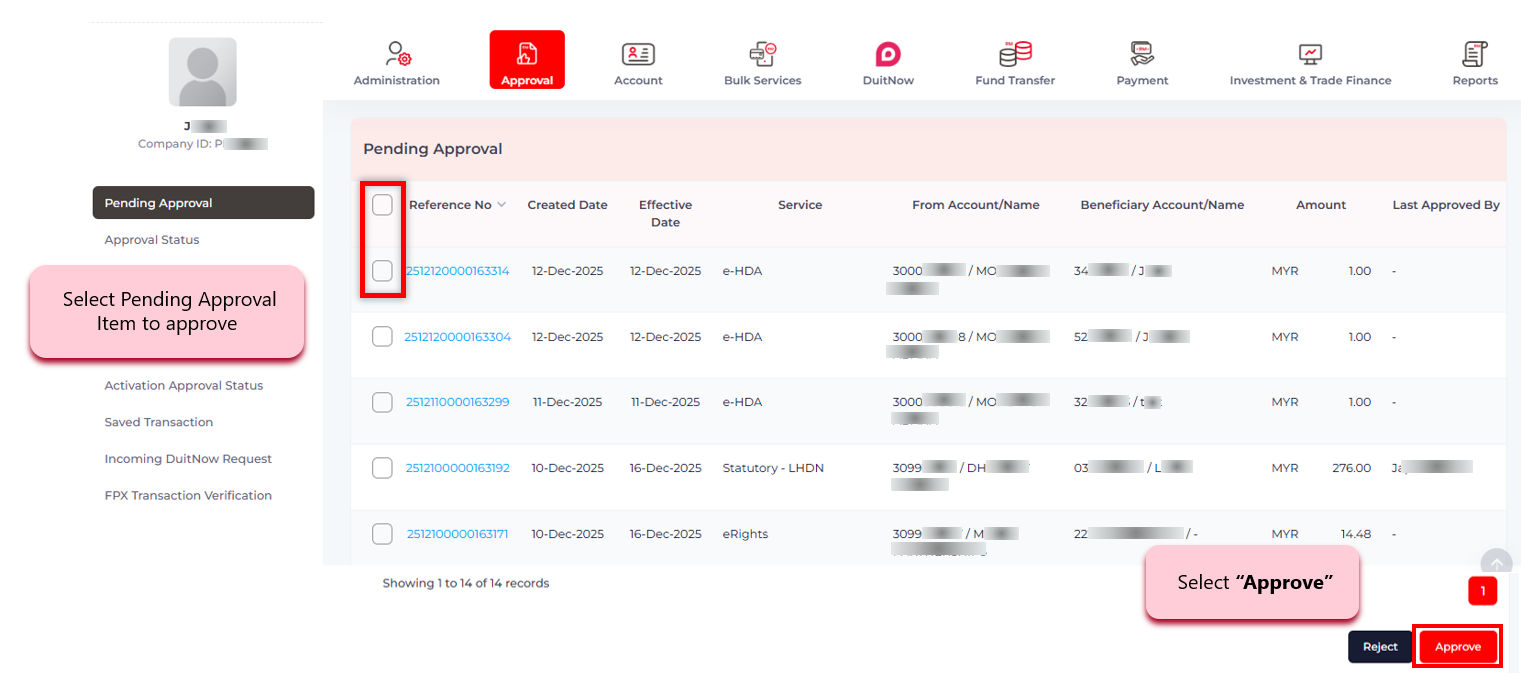
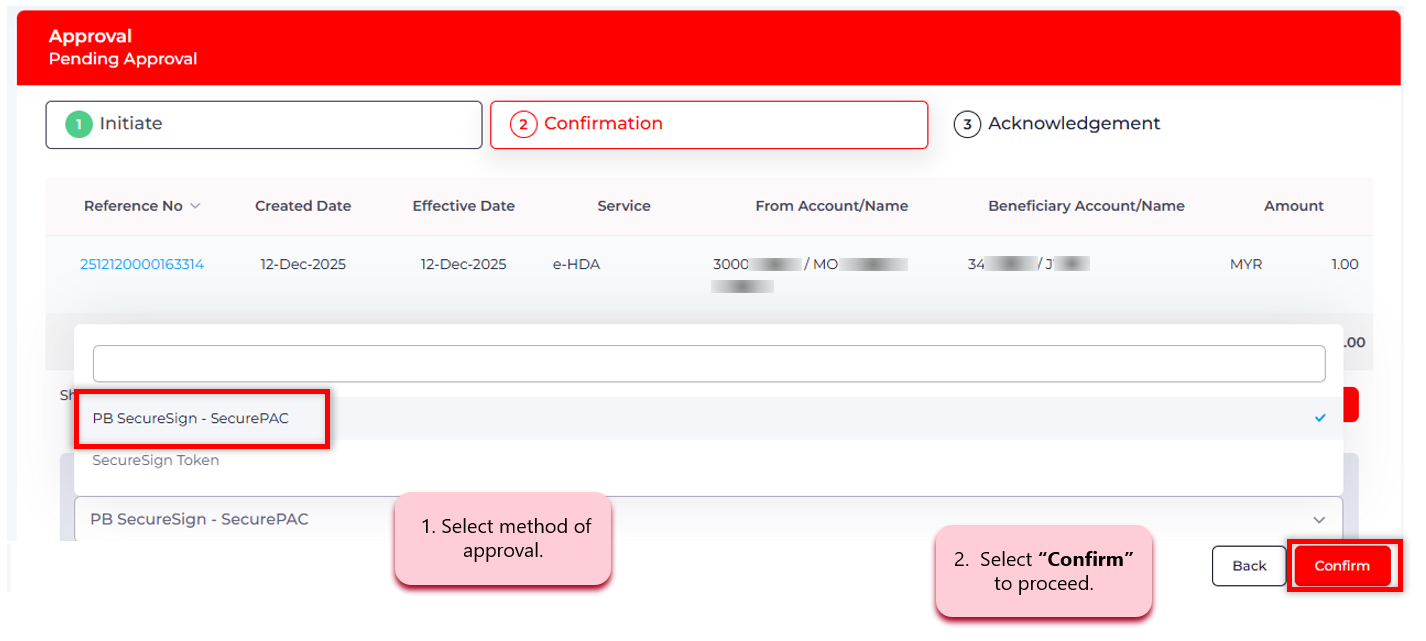
Step 2: Select Method of Approval
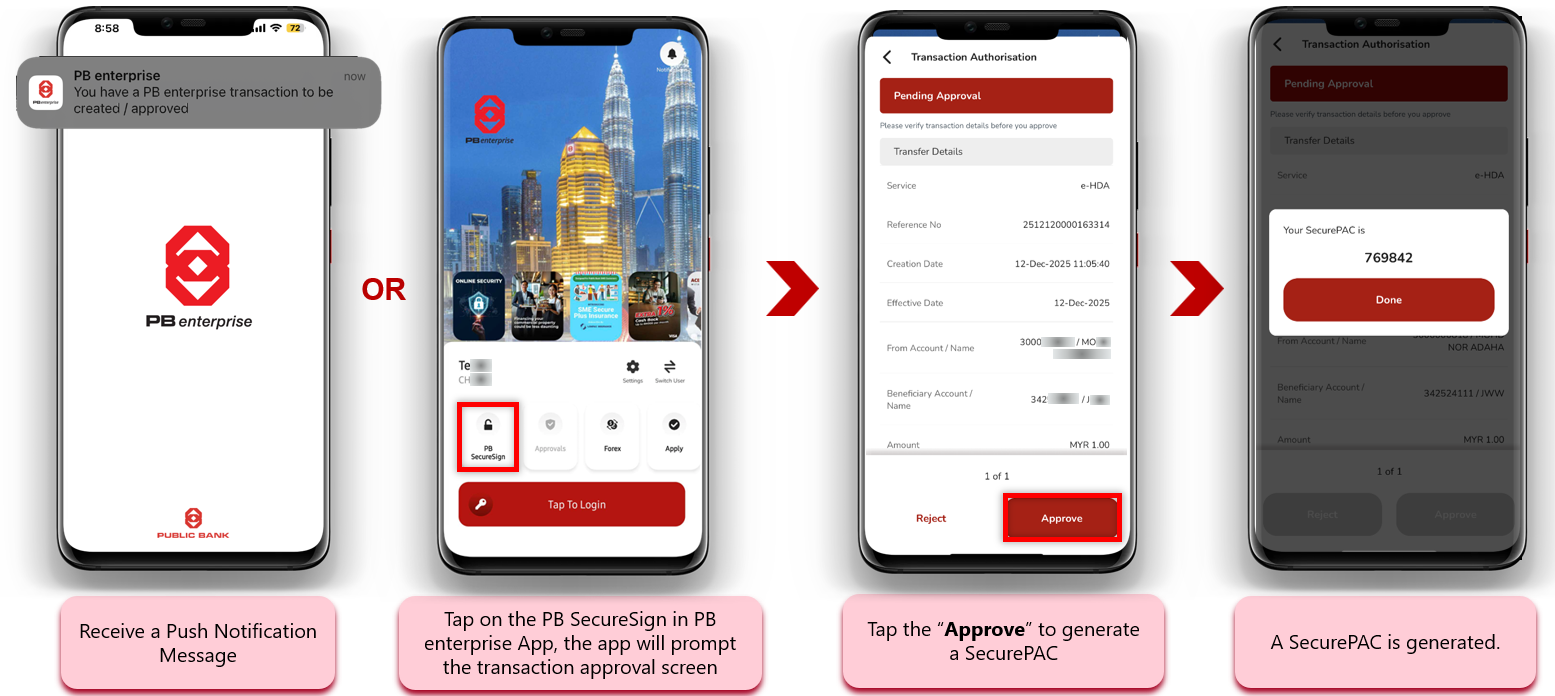
Step 3: Tap on the Push Notification or "PB SecureSign" icon on the App
Step 4: Enter the SecurePAC to authenticate transaction
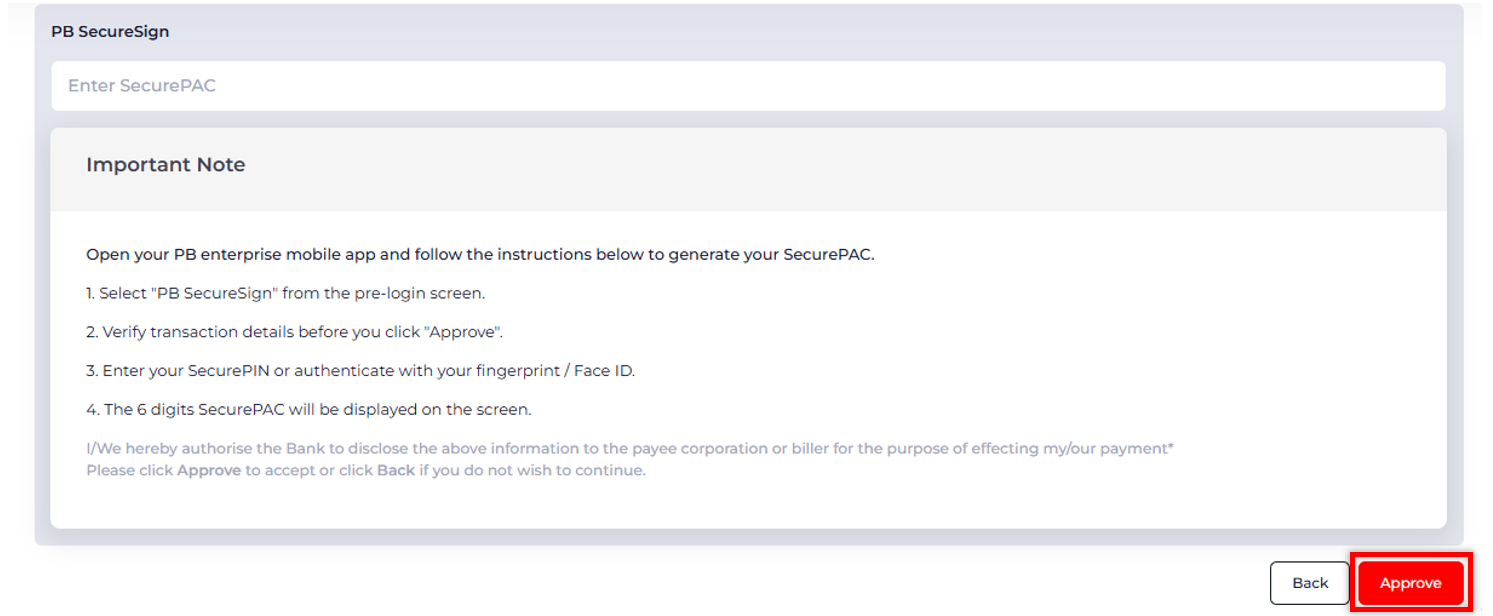
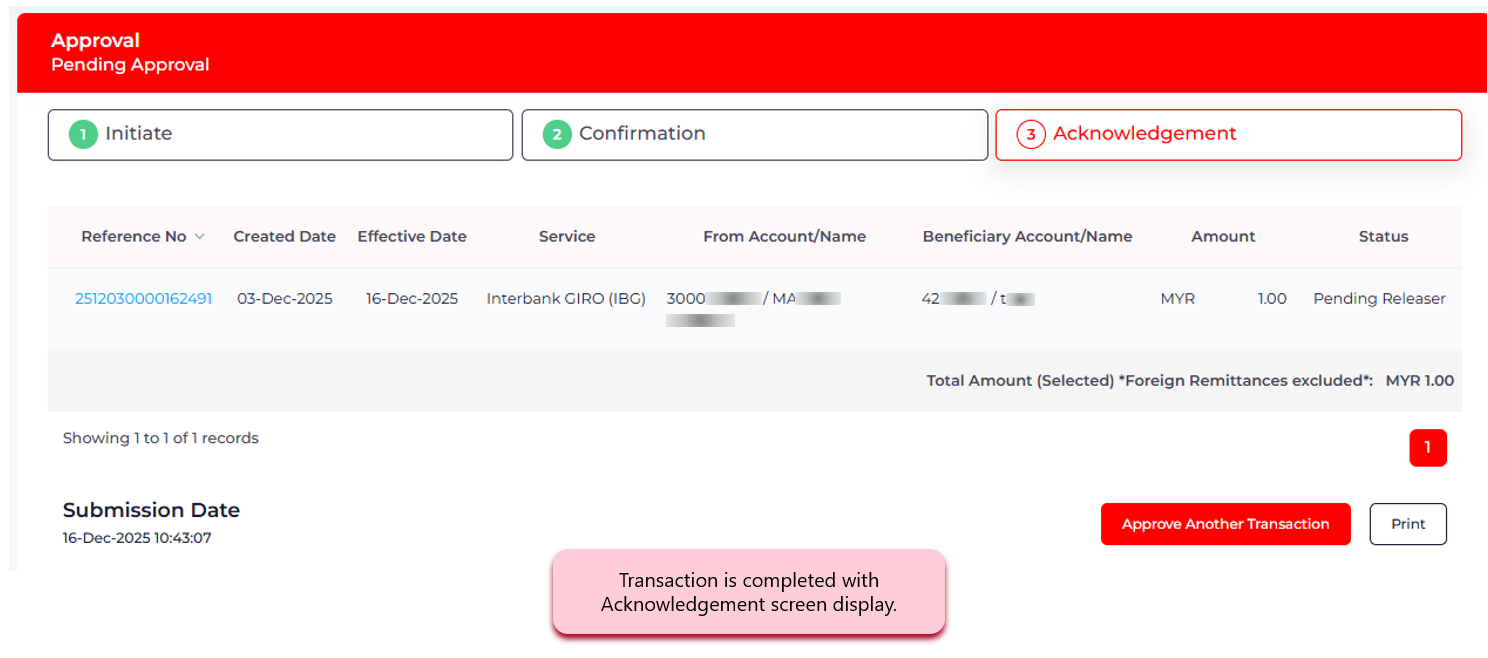
Step 5: Transaction is completed!
PB enterprise Mobile Banking App is integrated with PB SecureSign (digital token), an enhanced multi-factor authentication (MFA) to safeguard our corporate customers against financial scams and frauds.


Terms & Conditions | Privacy | Security | Customer Service Charter | Treat Customers Fairly Charter | e-Banking Charter | Bank Negara Malaysia
Copyright © 2026 Public Bank Berhad 196501000672 (6463-H). All Rights Reserved


